Showing posts with label OUDF504- VFX & Animation For Film Production. Show all posts
Showing posts with label OUDF504- VFX & Animation For Film Production. Show all posts
Tuesday, 21 January 2014
VFX roughcut
Here is my VFX rough-cut with my animatic behind for timing. I have roughly keyed out the green screen which still needs more work, and I have positioned and roughly scaled the footage to the size I want it.

VFX anamatic
This is the animatic I created from my storyboard. There are a few timing issues I can see already, but I will generally stick to this when editing.
Storyboard and initial thumbnails
Here is my final storyboard for the film.


These are the initial thumbnails I created before storyboarding, to help me with composition.


Thursday, 28 November 2013
Tom Sito
In a lucky flook, I came across this great lecture by Tom Sito on animating with live action sequences. I personally had never heard of him before seeing this video, but was completely blown away by his showreel and by the amount of knowledge he so clearly has.
What I liked best was his planning drawings for the main character sequence in Who Framed Roger Rabbit at the end, where he mapped out where every character would be and what action would take place at each camera movement, to ensure it didn't look flat. What an inspiration!
Animation and Live Action: Lecture Highlights with Tom Sito from Virtual Animators on Vimeo.
What I liked best was his planning drawings for the main character sequence in Who Framed Roger Rabbit at the end, where he mapped out where every character would be and what action would take place at each camera movement, to ensure it didn't look flat. What an inspiration!
Animation and Live Action: Lecture Highlights with Tom Sito from Virtual Animators on Vimeo.
Regular Show Animatic
As a huge fan of the cartoon Regular Show, when finding the animatic for one of their first episodes I was really excited to compare it the finished animation. Unsurprisingly they had mastered the timing, movement and content, which all looked near identical to the episode.
What I personally struggle with the most is keeping to the animatic/storyboard when editing, as I tend to edit with the footage I have and what looks best, whilst sticking mainly to the sequence in which the events happen.
What I personally struggle with the most is keeping to the animatic/storyboard when editing, as I tend to edit with the footage I have and what looks best, whilst sticking mainly to the sequence in which the events happen.
Temporary tattoo test
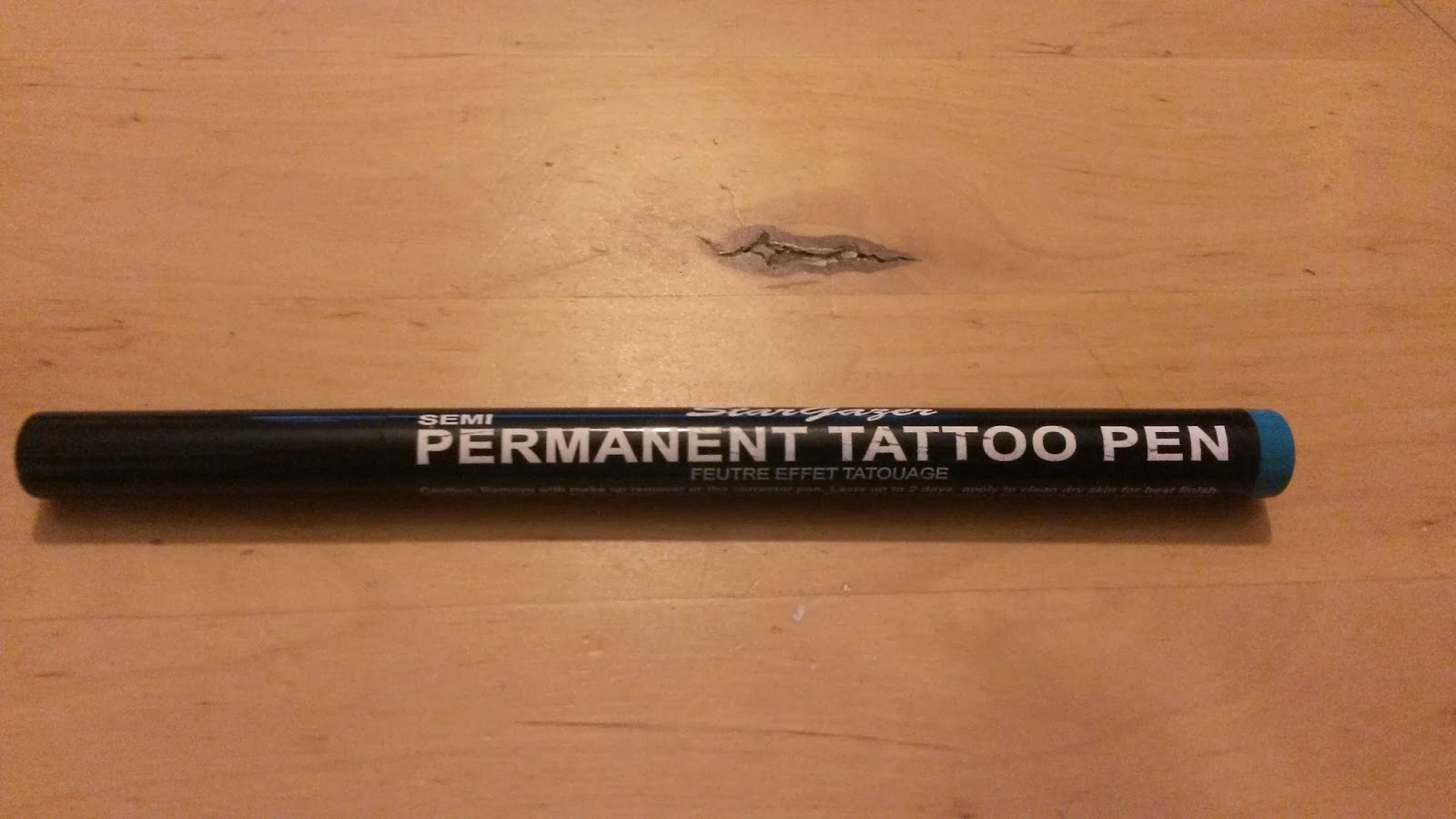
After deciding that a temporary tattoo pen would be best for the costume of my actor, I ordered one on Amazon and gave it a test.


I drew out one of the designs I had created and tried to replicate it as best as I could, given that the pen nib was a lot larger than expected. Saying this when scaling my designs up it worked well and was a lovely shade of blue which wasn't too bold and looked slightly washed out. It washed off quite easily but still left a slight marking for a few days, but nothing too noticeable (saying this, my skin is really sensitive to facepaint/pens/full make-up so I find it notably difficult to wash off). Overall I am happy with the outcome, and can't wait to see what it looks like as a full tattoo sleeve.

I drew out one of the designs I had created and tried to replicate it as best as I could, given that the pen nib was a lot larger than expected. Saying this when scaling my designs up it worked well and was a lovely shade of blue which wasn't too bold and looked slightly washed out. It washed off quite easily but still left a slight marking for a few days, but nothing too noticeable (saying this, my skin is really sensitive to facepaint/pens/full make-up so I find it notably difficult to wash off). Overall I am happy with the outcome, and can't wait to see what it looks like as a full tattoo sleeve.
Persopolis
One weekend I decided to watch the graphic novel turned animation, Persopolis. I had heard that the story was pretty dark but dealt with really beautifully and I couldn't wait to see what it actually was about.
Although very different in subject matter to my own film, there were some elements that I took away from watching it which linked directly to my own VFX practice. The main point was how they animated water. Much like the opening title sequence for 'The Series of Unfortunate Events', they used spiraling waves to give a more dramatic effect and stylized look. The style really stuck with me, and this is how I hope to portray my own waves.
Below is a short trailer for the film, including snippets of water animation.
After watching this film I was so inspired to animate and learn more on their process that I went in search for any behind the scenes info I could find. Luckily for me they created these small videos on the process and team which were really interesting. I couldn't believe that they had rendered each frame by hand in pen! I absolutely love that this was all created by hand yet looks so graphic. What I love more is the small things that show a hand has created it, such as the slight roughness the ink has given to each line. It is completely perfect in it's own imperfect way. Depending on the amount of time I have left in this module I would love to render sections of my animation in such a way.
Although very different in subject matter to my own film, there were some elements that I took away from watching it which linked directly to my own VFX practice. The main point was how they animated water. Much like the opening title sequence for 'The Series of Unfortunate Events', they used spiraling waves to give a more dramatic effect and stylized look. The style really stuck with me, and this is how I hope to portray my own waves.
Below is a short trailer for the film, including snippets of water animation.
After watching this film I was so inspired to animate and learn more on their process that I went in search for any behind the scenes info I could find. Luckily for me they created these small videos on the process and team which were really interesting. I couldn't believe that they had rendered each frame by hand in pen! I absolutely love that this was all created by hand yet looks so graphic. What I love more is the small things that show a hand has created it, such as the slight roughness the ink has given to each line. It is completely perfect in it's own imperfect way. Depending on the amount of time I have left in this module I would love to render sections of my animation in such a way.
Winnie the Pooh
I was concerned how to make my bear character cute and stylized yet still have believable, and found this really cute fan-art model of Winnie the Pooh which has been rigged and animated in a Pooh like walk. It was really interesting to see such a well known character in a different medium and personally I think it works well. What I like most about Winnie the Pooh is his distinguishable movement and personality in his walk, and I need to really work on this with my chracter.
Grizzly bears in 'The Living Edens: Kamchatka' documentary
The Living Edens: Kamchatka from MacQuarrie-Byrne Films on Vimeo.
This video has some gorgeous shots of grizzly bears, especially when fishing and playing in the water. Some great reference footage in here.
Industrial Light and Magic
When we first started this module I watched the documentary 'Creating the Impossible' which is about the beginnings of the first VFX company Industrial Light and Magic.
They were the founders of visual effects and still are the leading company in developing new software and improving the old software. They used matt paintings on glass and then composite film footage over the top, miniature models on blue screen, complex masks and costumes and optical compositing when they first started out making the first Star Wars.
They then led onto creating the Dyxtraflex computer allowing dynamic and repeatable camera moves, they developed computer graphics, made the first computer animation of the hand moving and first computer environment using Mac's software, they made the stained glass man character in the Young Sherlock Holmes in 1985 (was a lot of work as they didn't have the tools to do such things then) which was the first animated character ever made, they made the first morphing shot in the film Willow, the first digital editing system, the first digital audio editing system, a film laser scanner, The Pixar computer with a powerful graphics computer for digital compositing and RenderMan their software and they created the first digitally animated film. Phew!
After all of these massive advancements in technology, equipment and software the company split, which the other half then became the first 3D animation company Pixar. Lucas film then set up their own CG group which was to develop the medium but only for films, which led to them creating the film Abyss.
They carried on to break new ground always staying innovative and forward thinking. Jurassic Park was the biggest turning point for showing the possibilities of CG, whereas Forest Gump did the same but for understated hidden effects. During this time people felt threatened by the digital shift, and referred to it as 'the dark side' where they lost a lot of their employees due to reluctancy to change their way of working.
Their most recent developments is the creation of their own particle system and way to render that, mastering photorealistic modeling and effects using both hard surface with organic and advancing their mocap technology when filming the Pirates of the Caribbean franchise.
Below is a fantastic VFX breakdown of their blockbuster film The Avengers.
http://www.ilm.com/
They were the founders of visual effects and still are the leading company in developing new software and improving the old software. They used matt paintings on glass and then composite film footage over the top, miniature models on blue screen, complex masks and costumes and optical compositing when they first started out making the first Star Wars.
They then led onto creating the Dyxtraflex computer allowing dynamic and repeatable camera moves, they developed computer graphics, made the first computer animation of the hand moving and first computer environment using Mac's software, they made the stained glass man character in the Young Sherlock Holmes in 1985 (was a lot of work as they didn't have the tools to do such things then) which was the first animated character ever made, they made the first morphing shot in the film Willow, the first digital editing system, the first digital audio editing system, a film laser scanner, The Pixar computer with a powerful graphics computer for digital compositing and RenderMan their software and they created the first digitally animated film. Phew!
After all of these massive advancements in technology, equipment and software the company split, which the other half then became the first 3D animation company Pixar. Lucas film then set up their own CG group which was to develop the medium but only for films, which led to them creating the film Abyss.
They carried on to break new ground always staying innovative and forward thinking. Jurassic Park was the biggest turning point for showing the possibilities of CG, whereas Forest Gump did the same but for understated hidden effects. During this time people felt threatened by the digital shift, and referred to it as 'the dark side' where they lost a lot of their employees due to reluctancy to change their way of working.
Their most recent developments is the creation of their own particle system and way to render that, mastering photorealistic modeling and effects using both hard surface with organic and advancing their mocap technology when filming the Pirates of the Caribbean franchise.
Below is a fantastic VFX breakdown of their blockbuster film The Avengers.
http://www.ilm.com/
Bears!
I had a sudden realization that bears actually do stand in water when fishing, which I stupidly hadn't thought about when thinking of them splashing in puddles! So I did a quick sketch of a little bear cub trying to hunt in a waterfall as a reminder!

Salmon
After my intensive research, the most common food grizzly bears eat are salmon which come in a wide variety of species. Most of them are really sort after by fishermen as they are in high demand for human consumption. So I have decided to use salmon as my dedicated species when animating the fish.
Below is a diagram of the different species of salmon, which all have visual variations, which may or may not be known by the everyday person, however these details will give my film credibility and authenticity.

(image source: http://www.epa.gov/wed/pages/staff/lackey/pubs/illusion.htm)
As I haven't decided which medium my salmon fish will be animated in, I looked into the general animation of fish swimming and struggling and their bone structure. This video was really interesting to watch and a great reference.
I then went onto drawing some concept sketches on the visual look of the fish in different positions and different amounts of detailing, whilst sticking to my films aesthetic look.

Over fishing
My whole film is about overfishing and the effect it has on the environment, so I did some intensive research into this subject matter to ensure that I knew everything I could and really feel effected and motivated against such a cause. Hopefully this passion will drive this film forward and really show in the finished piece. Below are a list of links and videos I found the most useful in my research. A few of the video's actually use animation which I found really interesting, and work well in showing their data in an interesting yet informative way.
http://overfishing.org/
http://ocean.nationalgeographic.com/ocean/critical-issues-overfishing/
http://www.greenpeace.org.uk/oceans/problems/overfishing-emptying-our-seas
http://saveourseas.com/threats/overfishing
http://worldwildlife.org/threats/overfishing
http://scotland.wwf.org.uk/what_we_do/press_centre/?6038/Salmon-farming-Standards-to-help-reduce-industry-impact-launched
http://www.wwf.org.uk/what_we_do/safeguarding_the_natural_world/oceans_and_coasts/oceans_europe/sustainable_fisheries.cfm
MSC: Sustainable Seas from Marine Stewardship Council on Vimeo.
lovely animated section
Cats in space from Marine Stewardship Council on Vimeo.
funny animation supporting the MSC
WWF's Earth Book 2012 - Oceans and seas from WWF-UK on Vimeo.
The Last 130 from WWF-UK on Vimeo.
Mermaid Tears from Ola Liszewska on Vimeo.
Catching Tuna from WWF on Vimeo.
Sustainable Seafood, China from WWF on Vimeo.
MSY, get it right from WWF on Vimeo.
Net Gains: Tackling pirate fishing in Spain from WWF on Vimeo.
I also found a link specifically linking to bears shortage of food and the effect this may have, which surprisingly could link to a bear coming into someone's garden (and perhaps splashing in their puddles!)
http://www.huffingtonpost.com/2013/09/12/grizzly-bear-sightings-yellowstone_n_3910948.html
http://overfishing.org/
http://ocean.nationalgeographic.com/ocean/critical-issues-overfishing/
http://www.greenpeace.org.uk/oceans/problems/overfishing-emptying-our-seas
http://saveourseas.com/threats/overfishing
http://worldwildlife.org/threats/overfishing
http://scotland.wwf.org.uk/what_we_do/press_centre/?6038/Salmon-farming-Standards-to-help-reduce-industry-impact-launched
http://www.wwf.org.uk/what_we_do/safeguarding_the_natural_world/oceans_and_coasts/oceans_europe/sustainable_fisheries.cfm
MSC: Sustainable Seas from Marine Stewardship Council on Vimeo.
lovely animated section
Cats in space from Marine Stewardship Council on Vimeo.
funny animation supporting the MSC
WWF's Earth Book 2012 - Oceans and seas from WWF-UK on Vimeo.
The Last 130 from WWF-UK on Vimeo.
Mermaid Tears from Ola Liszewska on Vimeo.
Catching Tuna from WWF on Vimeo.
Sustainable Seafood, China from WWF on Vimeo.
MSY, get it right from WWF on Vimeo.
Net Gains: Tackling pirate fishing in Spain from WWF on Vimeo.
I also found a link specifically linking to bears shortage of food and the effect this may have, which surprisingly could link to a bear coming into someone's garden (and perhaps splashing in their puddles!)
http://www.huffingtonpost.com/2013/09/12/grizzly-bear-sightings-yellowstone_n_3910948.html
Fantasia 2000
Whilst researching into the original Fantasia, I came across Fantasia 2000. At first I thought it was just a re-working of the original, but soon I realized it was in fact a completely different film.
After discovering this I decided to watch just a snippet of it before buying the actual film. On Youtube this was the first video I came across, and to my amazement it has some perfect shots of how I imagined my VFX module to look like. This shot is where the tin boy is inside a fish which is being pulled out of a net onto the boat. I could not believe how perfectly timed seeing this clip was, but the framing and angle is exactly how I envisioned my own film.
You can watch the full short below
After discovering this I decided to watch just a snippet of it before buying the actual film. On Youtube this was the first video I came across, and to my amazement it has some perfect shots of how I imagined my VFX module to look like. This shot is where the tin boy is inside a fish which is being pulled out of a net onto the boat. I could not believe how perfectly timed seeing this clip was, but the framing and angle is exactly how I envisioned my own film.
You can watch the full short below
Puddle splash effects
Now I've looked into how the body moves when splashing in puddles, I can look into how the water moves when being jumped or stepped into. Below are two great examples. The first is by a student who is looking into hand-drawn visual effects and has used really beautiful curves. The second is a professional who has done visual effects for The Amazing World of Gumball as well as other projects, and that video is a showreel of the best of his hand-drawn (on the computer) VFX. I love the contrast between the two videos, yet how they both have perfectly displayed believable yet stylized visuals.
Intro to Effects: Water splash. from John T Hill on Vimeo.
2D FX Reel 2013 from Matt Timms on Vimeo.
Intro to Effects: Water splash. from John T Hill on Vimeo.
2D FX Reel 2013 from Matt Timms on Vimeo.
Fisherman photoshop test
Much like my splashing test, I decided to test out a different form of rotoscoping, where I was drawing on one element (the fisherman's overalls), tracking with the character. This was a really quick test created on Photoshop, which is why the line work is quite rough, but I feel it shows the aesthetic I am hoping for. I think this makes my film look more handmade, unique and quite comical.
fisherman test from sacha frampton on Vimeo.
;
fisherman test from sacha frampton on Vimeo.
;
Splashing roto-scoping test
From the reference videos of the children splashing, I filmed myself pretending to splash doing the foot movement and jumps that I had seen. From this I quickly rotoscoped over each frame with a rough white line and added stretches and exaggeration for the quick movements. Once I was finished I simply replaced the video footage with a black plate and exported it out.
I am quite pleased with the outcome of this and feel it is a good place to start when thinking about the movement of my bear.
Splashing roto-scoping test from sacha frampton on Vimeo.
I am quite pleased with the outcome of this and feel it is a good place to start when thinking about the movement of my bear.
Splashing roto-scoping test from sacha frampton on Vimeo.
Puddle splashing
As I know my bear character will be a young child and will be splashing in puddles, I decided to do a bit of research into how it's body would move when splashing as well as the ripples and splashes it would create. These videos were the most useful for reference, as they are energetic and enthusiastic.
Puppet Tool in After Effect test
After all the After Effects inductions, both with Mat and Mike, I learned about key framing along with many other handy animation tips and tricks. We didn't however learn about the uses of the puppet tool, so Mat gave me a quick induction where we created this to mimic how nets would ripple in the water without having to film and somehow composite it in. This is a really quick and effective way of animating and was really useful to learn.
Puppet tool in After Effects test from sacha frampton on Vimeo.
Puppet tool in After Effects test from sacha frampton on Vimeo.
After Effects induction 4
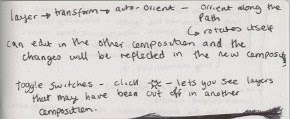
These are my notes from the fourth and final AE induction with Mike Flowers. I have found these sessions extremely useful and will be referring back to all of my notes for when I come to animating.


Subscribe to:
Posts (Atom)